
No complex coding required. WebExeBuilder compiles your HTML, CSS, and JavaScript projects into secure, standalone Windows desktop applications — real executables that install and run like any other desktop software. No Electron, no Node.js, no runtime for your users to install. Professional, standalone software from your web code.
At the heart of WebExeBuilder is a clean JavaScript bridge API (web.*) that gives your web app native Windows superpowers: read and write files, open system dialogs, manage the clipboard, send toast notifications, control the window, run shell commands, access the registry, set up global hotkeys, build native app menus and system tray icons, and persist user settings across sessions — all through simple `await` calls alongside your regular JavaScript. No special framework, no context switching.
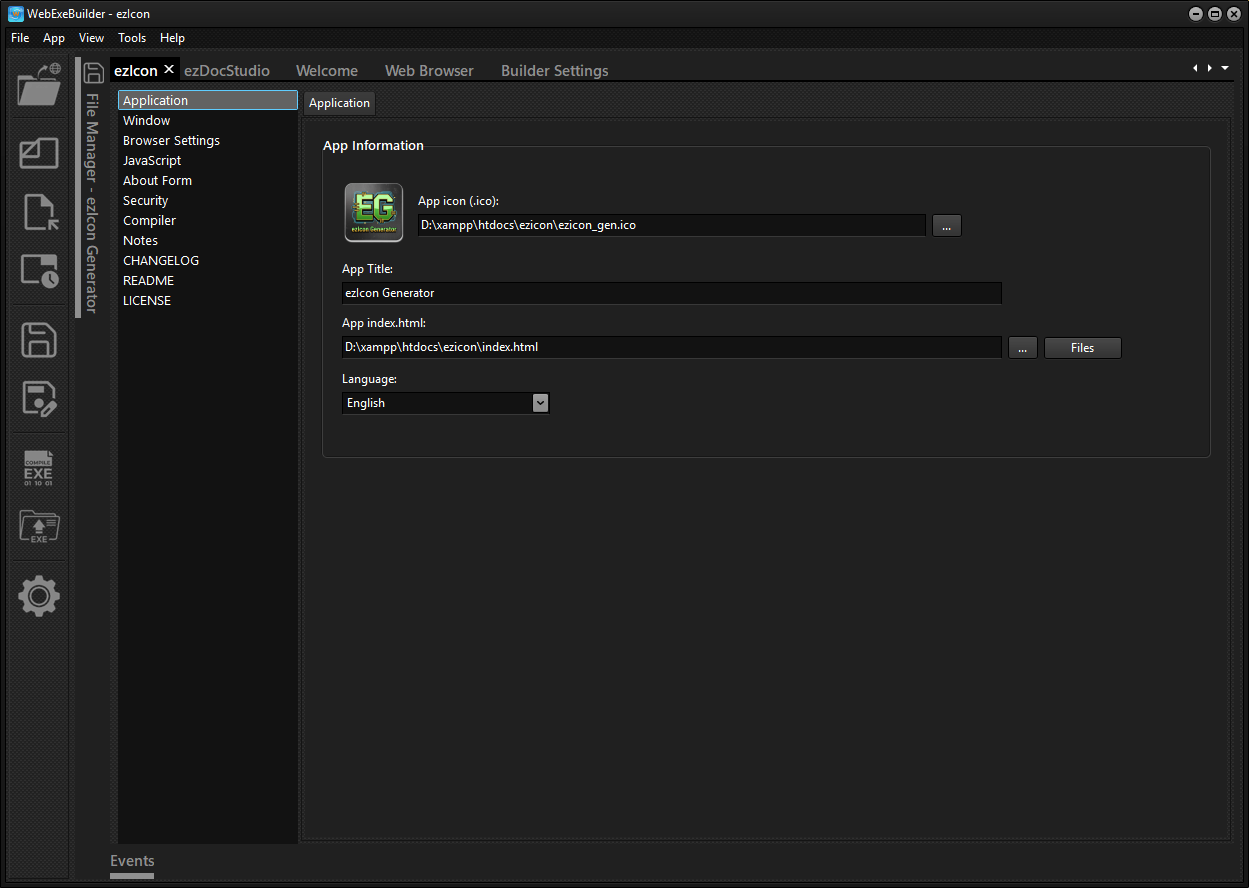
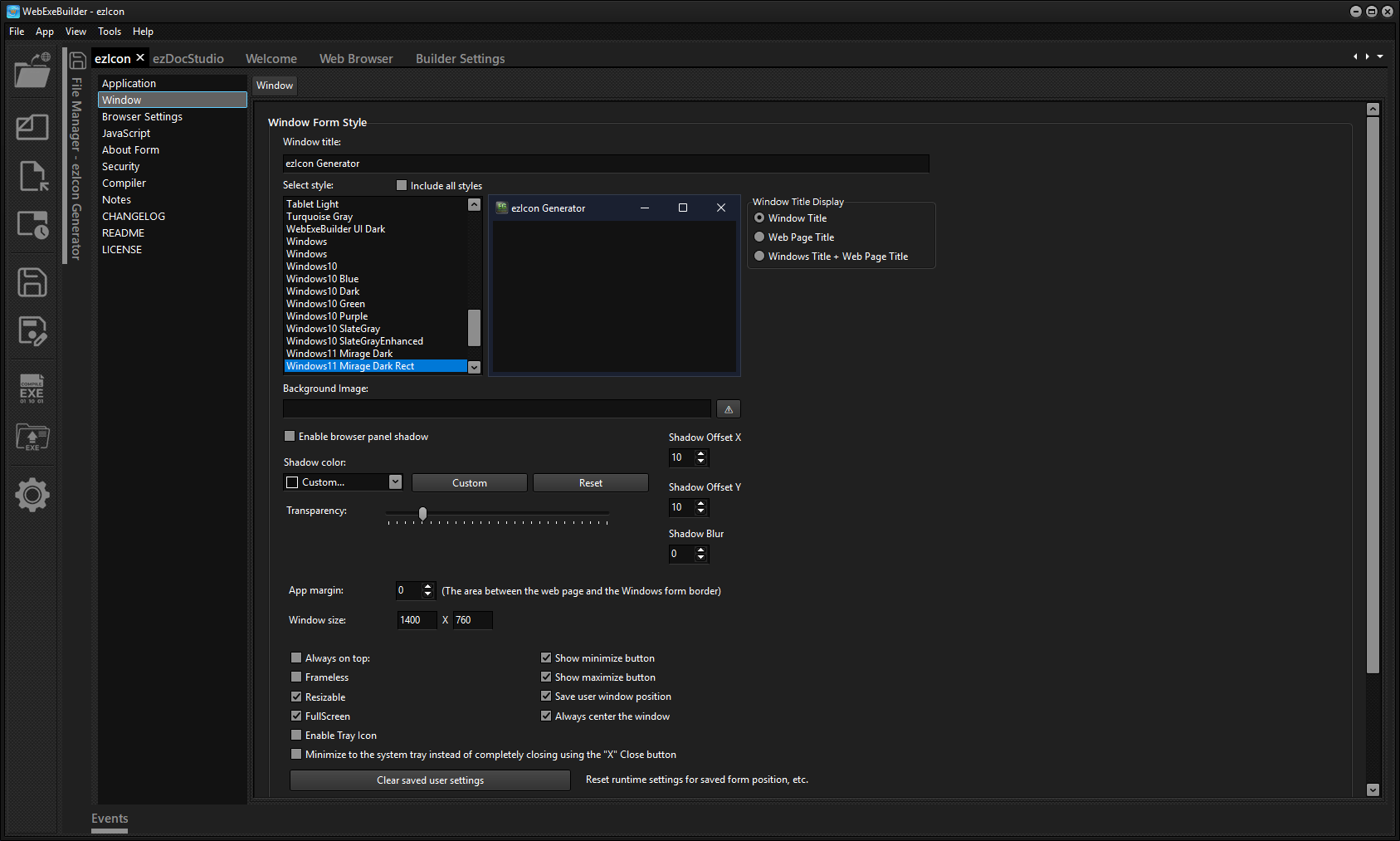
The builder itself is a point-and-click GUI. Point it at your project folder, configure your window title, size, and icon, and build. That's it.
WebExeBuilder is perfect for developers and power users who want to wrap internal tools, utilities, or data apps in a proper desktop shell — and for web developers who want to ship to Windows without climbing the steep learning curve of traditional app frameworks.
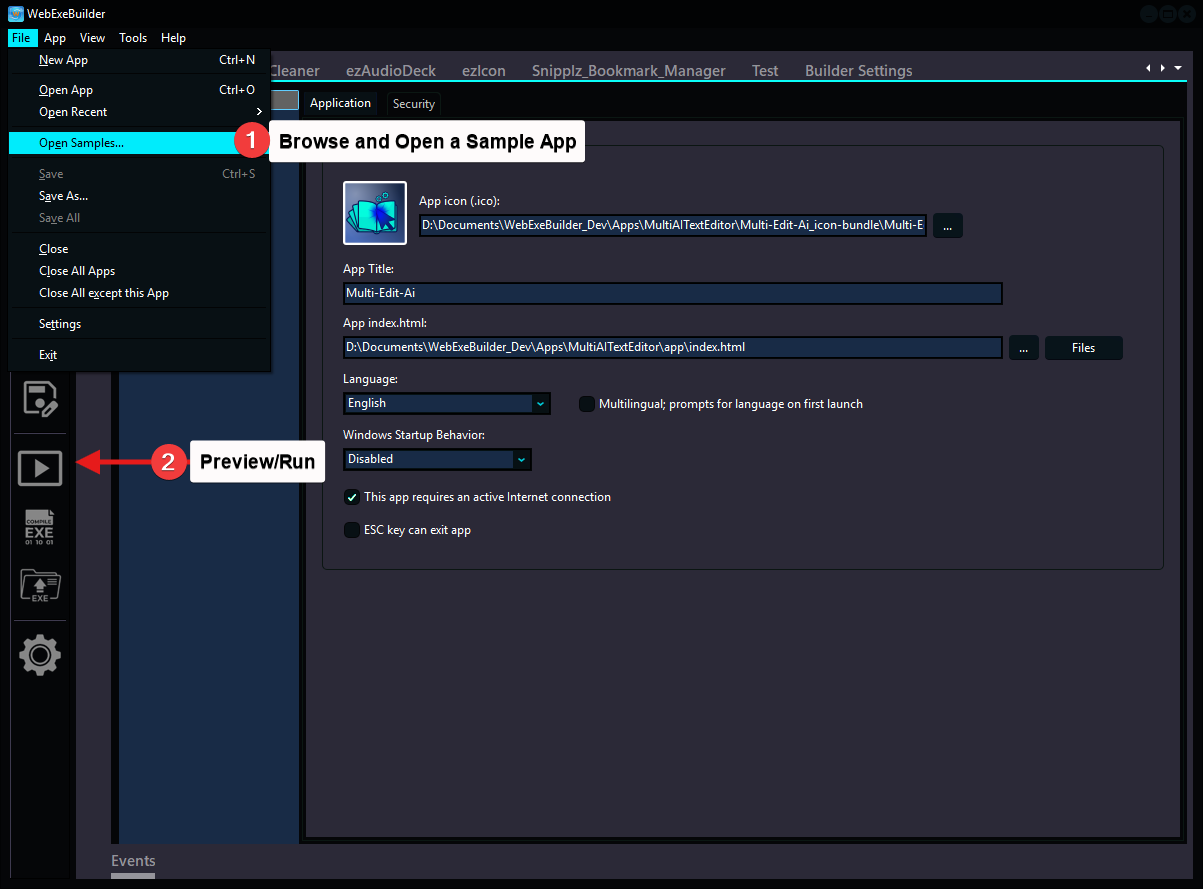
Use the "Download Free Trial" button to download and test as long as you like, it never expires. Try the sample apps. Open a sample app using the File/Open Samples.. menu selection and with one click on the Preview/Run button you can see them in action.
See FAQ tab for questions you might have.
The Professional Edition is the full-featured entry level minus any licensing/registration code.
Adds the ability to disable WebExeBuilder branding.
Keep using your version forever. Perpetual (with maintenance)
Discounted renewals after year 1 when maintenace is active
Includes all options that the Professional Edition has but provides full licensing/registration functions and utilities for your apps. With the Built-in Licensing you can create trial versions, manage licenses, and protect your software with integrated copy protection features. Gumroad and built-in license provider supported.
Keep using your version forever. Perpetual (with maintenance)
Discounted renewals after year 1 when maintenace is active
https://webexebuilder.com/help
Core: Fixed window restoring to a tiny unusable size when using web.window.setState or web.app.windowRestore after minimizing to tray via the window minimize button
Core: Menu APIs (createMenu, updateMenu) now accept items as either a plain array or a JSON.stringify'd string — both formats work
Core: web.trayMenu.createMenu
Core: Fixed minimize-to-tray and close-to-tray not working when a tray menu was created via the JavaScript web.trayMenu.createMenu API
Core: Menu APIs (createMenu, updateMenu) now accept items as either a plain array or a JSON.stringify'd string — both formats work
Core: New shortcut parameter for web.appMenu.createMenu and web.trayMenu.createMenu — assign keyboard shortcuts to menu items (e.g. "Ctrl+S", "Ctrl+Shift+N", "F5")
Core: Menu shortcuts now work correctly when WebView2 has focus — key combos are intercepted from the browser and forwarded to VCL menu items
Core: web.appMenu.updateMenu and web.trayMenu.updateMenu can now update or clear shortcuts on existing menu items
Core: App menu shortcuts take priority over tray menu shortcuts when the same hotkey is assigned to both
Documentation updated for createMenu and updateMenu APIs with shortcut examples
Core: Portable support, if Data folder exists in application root, web.storage uses Data folder not AppData folder.
Core: New API action web.app.isPortable which is used to identify an app is running in Portable mode.
Builder: Compile Time function updated to update appCompileTime on every compile not just when a project change was detected.
Builder: Reset Project Reg. Data bug fixed where other projects became unregistered too.
Core runtime updated to 2026.05.17.2324
Core: Single instance bug fixed where option did not prevent secondary instance from running, fixed with all new detection methods.
Core: VCL style now persists via vcltheme.txt in storage directory — eliminates double-restart on startup when user has a saved theme preference
Core: BringTheWindowUp now reliably brings window to foreground using AttachThreadInput (fixes tray icon "Show Window" not working)
Core: Style change restart now grants foreground rights to the new process via AllowSetForegroundWindow
Core: Command-line file arguments now correctly skip internal --STYLE/--URL restart params
Core: Menu update refresh with lock update to prevent visible refresh
Core: New dialog to confirm close when Enable Tray Icon app is used with minimize to system tray instead of close "X" setting
Core: New Namespace: web.styles.getStyleColors which returns the current VCL style's color palette as a JSON object of CSS-compatible hex color strings. This allows your HTML/CSS to dynamically match the native Delphi VCL theme, keeping the web content visually consistent with the application window chrome.
Documentation updated for setStyle, getStyle, getStyleColors and listStyles APIs
Fixed yet another synchronization bug in the consolidated save logic where package-level settings (browser options) were being reverted to default values.
Fixed a synchronization bug in the consolidated save logic where package-level settings (like expiration days) were being reverted to default values.
Problem with README.txt not loading at startup fixed
PackHub pack bug fixed, where image path of project being packed would change, no longer.
New PackHub app added - PackHub is the official marketplace and community sharing platform for WebExeBuilder project packs.https://packhub.webexebuilder.com
PackHub menu actions added to Builder app, see PackHub menu for more information
New API action added web.dialogs.prompt for gathering input, password dialog, etc.
Sample app to demonstrate new prompt dialog
Translations updated
Change log UTF-8 character bug in Delphi work-around, empty change log now displays inserted UTF-8 characters correctly.
File manager status UTF-8 chars corrected
Added 4 new styles
Fix for the project save procedure
Initial release
Your review goes here
1.07.3
Jul 13, 2026 - 02:36 AM
Apr 24, 2026 - 06:13 PM
Windows



No Reviews